For the past twenty(ish) years, I’ve been using small VPSes to host my websites and web-based services. Eight years ago, I made the move to a DigitalOcean ‘droplet’ as they were becoming all the rage at the time.
I have no complaints about DigitalOcean. They’re highly reliable and offer a great array of products, services and features–but I had new plans that warranted an upgrade, and rather than paying more to get what I needed, I decided to shop around a bit.
I was using a basic compute droplet with 1 vCPU, 1 GB RAM, 35 GB NVMe storage, and 1 TB/mo bandwidth. Part of my plans included self-hosting my git repos, some of which are on the heavy side due to being game projects with lots of binary assets, so I needed a considerable upgrade on that front if nothing else.
A fairly exhaustive search, which included LowEndBox.com, led me to AlphaVPS–a well-established provider offering VPSes with 4 vCPUs, 12 GB RAM, 100 GB NVMe storage, and 10 TB/mo bandwidth–all for about the same price as the droplet. Their control panel isn’t nearly as flashy as DigitalOcean’s, but I can live with that!

I should note that I considered the more modern approach of setting up a distributed and horizontally-scalable solution with AWS or GCP, but that’s a lot of effort, more complex maintenance, and likely more expense, all of which are hard to justify for the sake of hosting a handful of web projects. Sticking primarily with the basic monolithic approach works well enough in this case.
Migration
During the migration, I took the opportunity to revise my software choices and ended up making the following replacements:
- Ubuntu to Debian (for no particular reasons other than wanting a change and Debian possibly offering a little more stability)
- MySQL to MariaDB (for reasons that are hopefully obvious–there are lots of articles and reddit threads covering this)
I also made some better security choices, conscious of the fact I host a couple of clients’ websites as well as my own (although this one is actually hosted on Cloudflare Pages). I’m slightly ashamed to admit that when I set up the DigitalOcean VPS, while I chose to disable password authentication in favour of using a password-protected key, I did not disable root login. I then continued the terrible habit of doing all of my server ops as the root user.
I could easily have corrected that a long time ago, but laziness prevailed! Fortunately, it never turned into a real issue, and naturally, on the new VPS, I’ve taken the time to properly handle user access and permissions so nothing is more exposed than it needs to be.
My process for migrating everything was very manual and pretty uninteresting. In short, I:
- Zipped up and transferred the files I cared about, including database dumps
- Manually re-created databases and users in MariaDB
- Imported the database dumps
- Set up Caddy broadly using the same config as before
Backups
I heavily relied on DigitalOcean’s snapshots as a backup solution. AlphaVPS doesn’t offer an equivalent service, but relying on snapshots alone isn’t great anyway and I wanted a solution that would give me more control over how, when, and where backups are made.
After researching ways of setting up my own automation, I chose to set up Restic (with Backrest as an orchestrator and frontend) and configure it to write snapshots to both AWS S3 and Backblaze B2. I can stay well within free tier usage limits for both of those services, so it costs me nothing.
Restic is brilliant as it supports independent configurations for backup plans (which govern when and what to back up) and repositories (which define the places your snapshots can be written to). It also efficiently handles snapshots through delta compression, so you can store a high number of snapshots without losing bandwidth and storage capacity to duplicated data.
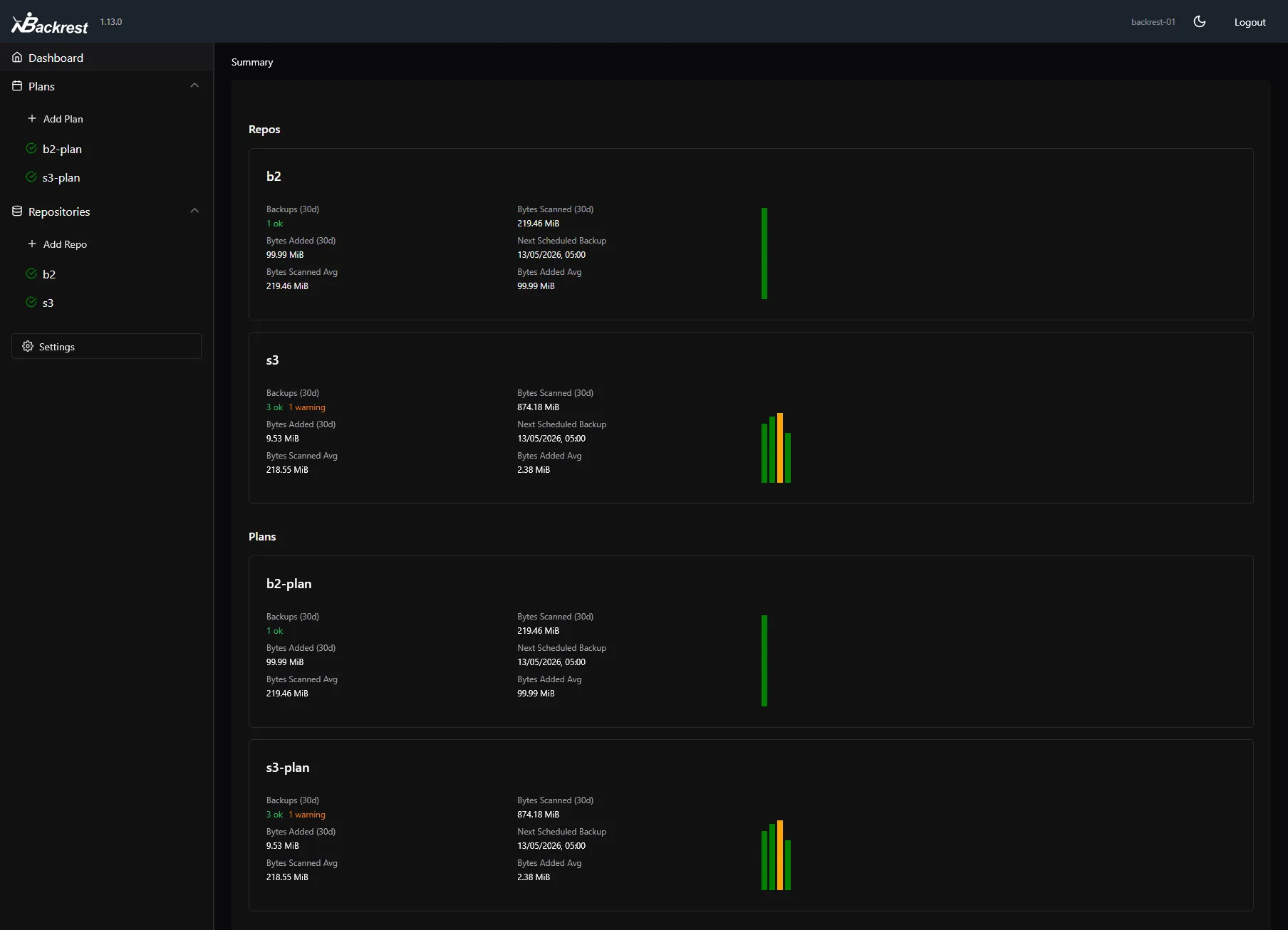
Restic doesn’t support directly exporting from database systems, so too include database backups, I wrote a script that dumps all of my MariaDB databases (retaining up to a certain number of them). Cron runs it an hour before my Restic plan kicks off, so they get included in the snapshots.
Self-hosted git
I’ve been using GitHub as my go-to git provider for ~13 years, and for a long time I’ve toyed with the idea of self-hosting my repositories. Lately I’ve seen a lot of buzz around Forgejo, a fork of Gitea, which persuaded me to finally try it out.
At the time of writing, including those that are private and/or archived, I have 79 repos on GitHub. I set up a selection of them on my Forgejo instance and configured them with the original GitHub repos as push-mirrors. I’ll likely use the same arrangement for most future repos, where the GitHub ones will essentially be read-only mirrors for the sake of visibility and redundancy (my backup solution doesn’t cover my Forgejo data).
It’s live now at code.rick.me.uk and I’m very pleased with the result so far. It’s noticeably faster to load than GitHub. A nice side-effect is that, having replaced many repo URLs for OpenGraph previews on my site with the new ones, Cloudflare Pages builds no longer fail due to GitHub’s rate-limiting on its public API, which is an issue I’ve struggled to remedy for the past year or so.
That’s all for this one. Thanks for reading!